
原创2026/3/5...大约 1 分钟
Pinia 是 Vue 的存储库,它允许您跨组件/页面共享状态
Pinia 最初是为了探索 Vuex 的下一次迭代会是什么样子,结合了 Vuex 5 核心团队讨论中的许多想法。最终,我们意识到 Pinia 已经实现了我们在 Vuex 5 中想要的大部分内容,并决定实现它 取而代之的是新的建议
与 Vuex 相比,Pinia 提供了一个更简单的 API,具有更少的规范
提示
现在,创建一个全新的 vue 项目
npm init vue@latest将 Pinia 集成进去
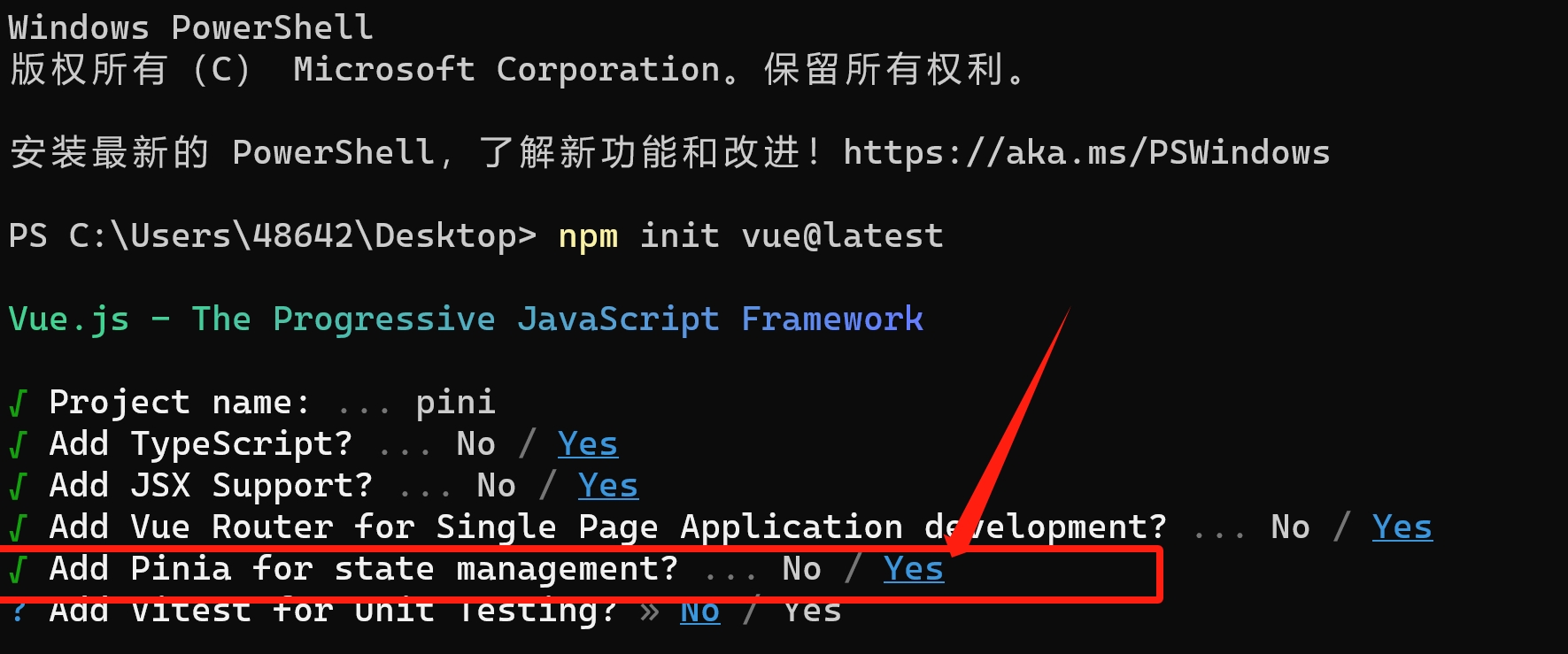
项目启动后,在 src 目录下存在了 stores 文件夹
import { ref, computed } from 'vue'
import { defineStore } from 'pinia'

export const useCounterStore = defineStore('counter', () => {
  const count = ref(1)
  const doubleCount = computed(() => count.value * 2)
  function increment() {
    count.value++
  }
  const countX3 = () => {
    count.value = count.value * 3
  }

  return { count, doubleCount, increment, countX3 }
})
简单使用
home.vue
<template>
  <p>count:{{ counterStore.count }}</p>
  <p>doubleCount:{{ counterStore.doubleCount }}</p>
  <button @click="countAdd">count ++</button>
</template>
<script setup lang="ts">
import { useCounterStore } from '@/stores/counter'
const counterStore = useCounterStore()
const countAdd = () => {
  counterStore.increment()
}
</script>
about.vue
<template>
  <p>count:{{ counterStore.count }}</p>
  <p>doubleCount:{{ counterStore.doubleCount }}</p>
  <button @click="countX3">count * 3</button>
</template>
<script setup lang="ts">
import { useCounterStore } from '@/stores/counter'
const counterStore = useCounterStore()
const countX3 = () => {
  counterStore.countX3()
}
</script>
可以看到,我们在 counter中声明了一个变量,无需组件传值,在home和about组件中均对其执行了读取和更改操作,成功实现了状态共享
Pinia 之所以生效,是因为我们在main.ts文件里进行了注册
import './assets/main.css'

import { createApp } from 'vue'
import { createPinia } from 'pinia'

import App from './App.vue'
import router from './router'

const app = createApp(App)

app.use(createPinia())
app.use(router)

app.mount('#app')至此,本章节的学习就到此结束了,如有疑惑,可对接技术客服进行相关咨询。